Standby
Browser tasks that keep running.
Give it a goal. It watches, plans, and acts — right in your browser. Try it instantly with Standby Cloud, or run locally for full privacy and control.
  ┌──────────────────────────────────────────┐
  │ Standby v0.6.0                              │
  │ Model: Anthropic (claude-opus-4-6)          │
  │ Store: SQLite ~/.standby/standby.db         │
  │ Server: http://127.0.0.1:4317                │
  │ Dashboard: http://127.0.0.1:4317/app           │
  └──────────────────────────────────────────┘
See it in action
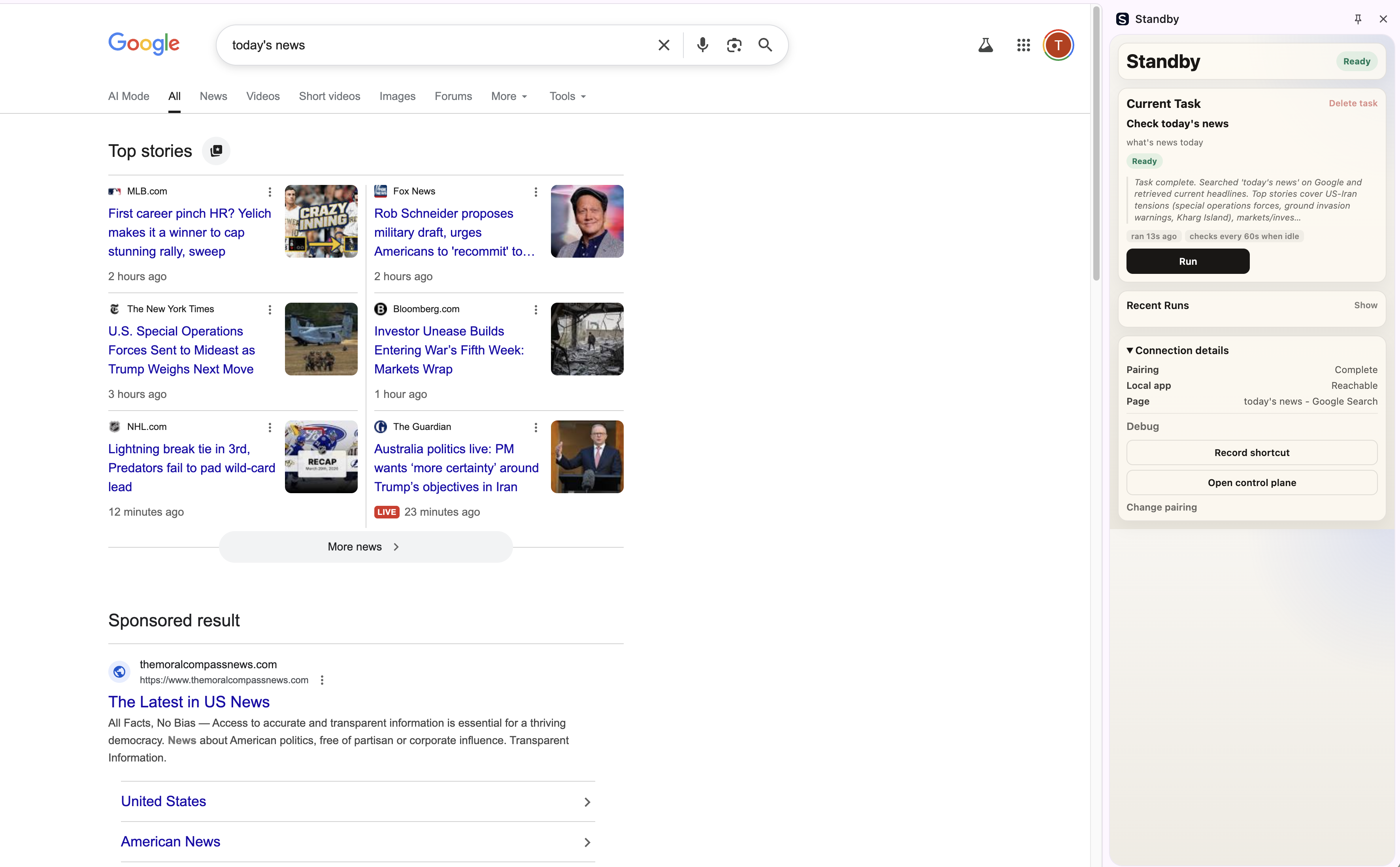
The extension side panel follows your active task. The daemon orchestrates everything locally.
Real example
Standby finished checking today's news on Google. The side panel shows the completed task and its summary.
How it works
Describe what you want
Open the side panel, type a goal. "Monitor my inbox and reply to urgent emails", "Track this product's price daily", "Apply for matching jobs on this board".
It works in your browser
Standby observes the page, reads the DOM, takes a screenshot. Your model plans the next action. The extension clicks, types, scrolls, navigates — like you would.
Keeps going in the background
Each task gets its own tab group. The daemon checks on a schedule and runs when needed. If something goes wrong, it pauses and waits for you.
What runs where
Get started
Try it now with Standby Cloud
No daemon, no API keys, no setup. Install the Chrome extension, choose Cloud mode in the side panel, and sign in. You're running in under a minute.
Install extensionInstall the local daemon
The daemon runs on your machine and orchestrates all browser tasks. Requires Node.js 20+.
$ npm install -g standby-agentRun the setup wizard
On first launch, Standby walks you through configuration:
$ standby~/.standby/config.jsonOpen the side panel and start a task
Navigate to any website. Click the Standby icon in Chrome to open the side panel. It auto-connects to the local daemon — no pairing code needed.
localhost:4317/appPersistent tasks
Tasks survive browser restarts. Pick up where you left off.
Multi-workspace
Each task gets its own tab group. Run many tasks in parallel.
Local-first, cloud-optional
Run everything on your machine for full privacy. Or use Standby Cloud to start in seconds — no daemon, no API keys.
Powered by Claude
Standby Cloud handles the model for you. Or run locally with your own Anthropic API key.
Auto-recovery
Pauses on repeated failures. Resume with one click.
Dashboard
Web UI at localhost for full task and run management.